

Contrast ratio
--
Free · Instant · No signup
Relative luminance contrast between two colors with WCAG 2.1 AA and AAA pass or fail for normal and large text.
Page updated 2026-09-04.

Contrast ratio
--

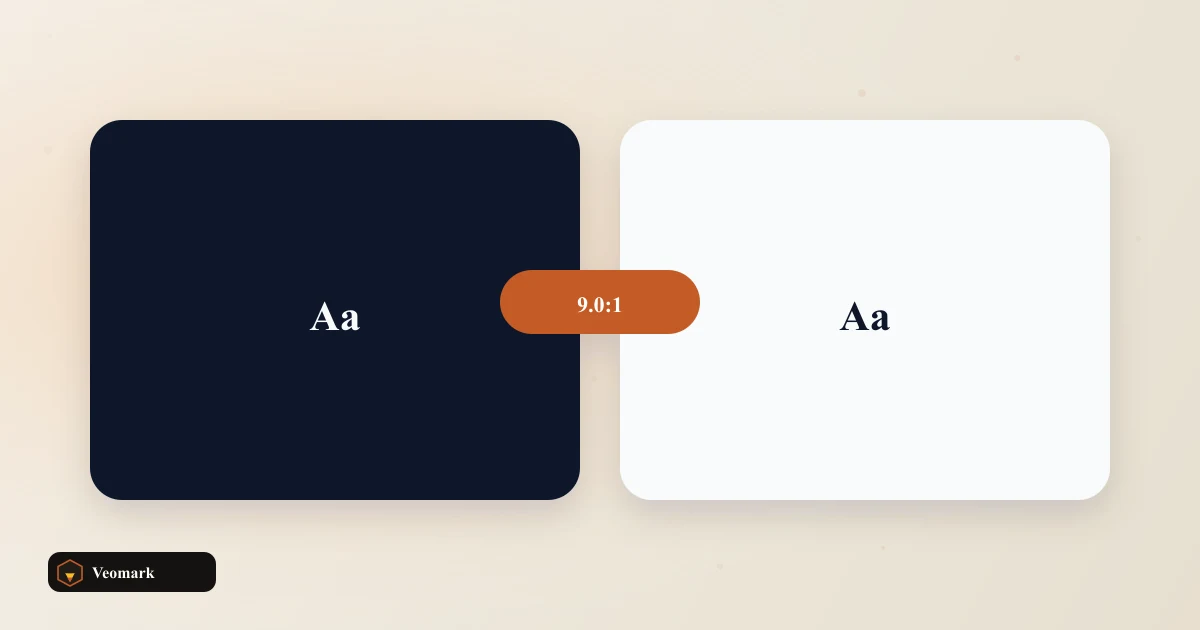
Dark navy text (#0F172A) on a white background (#FFFFFF) produces a contrast ratio of 17.85:1 -- comfortably passing all four common WCAG thresholds: AA normal text (4.5:1), AAA normal text (7:1), AA large text (3:1), and AAA large text (4.5:1).
WCAG contrast ratios range from 1:1 (identical colors, no contrast at all) to 21:1 (pure black on pure white, the maximum possible) -- 17.85:1 sits close to that maximum, which is why this pairing clears even the strictest AAA threshold with substantial margin to spare.
Large text gets more lenient thresholds (3:1 for AA, 4.5:1 for AAA) than normal-size text (4.5:1 and 7:1) because larger text is inherently easier to read even at lower contrast -- WCAG's size-based distinction reflects that real readability difference, not an arbitrary discount.
Uses sRGB relative luminance. Large text here means the 3:1 / 4.5:1 thresholds, not a font-size detector. The contrast ratio formula is based on each color's relative luminance in the sRGB color space -- a specific, standardized calculation (not simply comparing lightness values informally) that WCAG defines precisely so contrast checking is consistent and reproducible across different tools and checkers.
This tool checks the numeric threshold only -- it doesn't detect or verify your actual font size, so 'large text' here means you need to separately confirm your real text qualifies as WCAG's definition of large (generally 18pt+, or 14pt+ bold) before relying on the more lenient large-text thresholds.
Contrast ratio is symmetric regardless of which color is foreground and which is background -- checking white text on this same navy background would produce the identical 17.85:1 ratio, since the formula doesn't distinguish which of the two colors sits 'on top.'
For checking many foreground/background combinations at once rather than one pair at a time, the Batch Color Contrast Checker handles that at scale.
For a broader accessibility score across an entire color palette (not just contrast between two specific colors), the Color Palette Accessibility Score Checker is the related tool.
Uses sRGB relative luminance. Large text here means the 3:1 / 4.5:1 thresholds, not a font-size detector. It's based on the relative luminance of each color in sRGB color space, following WCAG's standardized formula -- a precise, reproducible calculation rather than a simple visual lightness comparison.
Larger text is inherently easier to read even at lower contrast, so WCAG sets more lenient thresholds for large text (3:1 for AA, 4.5:1 for AAA) than for normal-size text (4.5:1 and 7:1) -- reflecting that genuine readability difference.
No. Uses sRGB relative luminance. Large text here means the 3:1 / 4.5:1 thresholds, not a font-size detector. It only checks the numeric contrast ratio against both threshold sets. You need to separately confirm your actual font size and weight meet WCAG's definition of large text (generally 18pt+, or 14pt+ bold) before relying on those more lenient thresholds.
No. The contrast ratio formula is symmetric -- swapping which color is labeled foreground and which is background produces the identical ratio, since the calculation doesn't distinguish which color visually sits on top.
21:1, achieved only by pure black (#000000) against pure white (#FFFFFF) -- the theoretical ceiling of the WCAG contrast formula. A ratio of 17.85:1, as in this example, sits close to that maximum.
 Responsive Font Size rem/px Interconvertible Calculator Convert a pixel size through a root px into rem, em, and a clamp() suggestion for fluid type.
  SVG Path Curve / Cubic Bezier Visualizer Cubic Bezier C command and a compact SVG snippet from two control points and an end point.
  Image Crop Ratio Calculator Target crop-box dimensions.
  HEX to RGB / RGBA Code Converter Turn a hex color plus alpha into rgb() and rgba() CSS, focused on copy-ready declarations.